What Is LiteScroll.com?
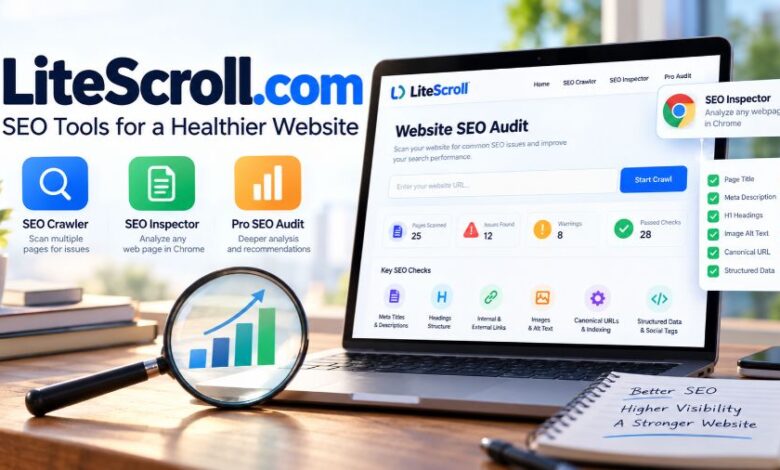
LiteScroll.com is an SEO tools website focused on simplifying routine website audits and page-level optimization checks. Rather than presenting itself as a comprehensive digital marketing platform, it emphasizes identifying common problems involving metadata, heading structure, internal links, images, canonical URLs, and indexing signals. Its main offerings are LiteScroll SEO Crawler, LiteScroll SEO Inspector, and LiteScroll Pro SEO Audit. These products serve different purposes, from checking multiple pages across a website to inspecting an individual webpage or requesting a more extensive audit. The platform is aimed primarily at website owners, bloggers, independent SEO professionals, and smaller marketing teams that want practical diagnostic information without immediately committing to a complex software subscription.
How Does LiteScroll.com Work?
LiteScroll follows a relatively straightforward website optimization workflow. A user can begin by scanning a website with its SEO Crawler, review the resulting findings, and then investigate important pages more closely using SEO Inspector. The crawler is advertised as supporting scans of up to 25 pages for free, while the inspector focuses on the webpage currently open in Chrome. Users can review reported problems and decide which changes are appropriate for their websites. For larger projects, LiteScroll also advertises a custom Pro SEO Audit covering up to 100 pages. The usefulness of this workflow depends on the accuracy of the findings, the pages the tools can access, and the user’s ability to distinguish important SEO problems from minor recommendations.
LiteScroll SEO Crawler
The LiteScroll SEO Crawler is designed to inspect multiple website pages and identify common technical and on-page optimization issues. Its advertised checks include page titles, meta descriptions, H1 headings, canonical URLs, noindex directives, image attributes, and content-related signals. The platform also describes report-export options, allowing users to retain findings for further review. A free crawl limit of up to 25 pages makes the tool potentially suitable for smaller websites, landing pages, and limited content audits. However, larger sites may require additional crawling capacity, and a limited crawl cannot establish that every URL, template, redirect, or indexing problem has been discovered.
LiteScroll SEO Inspector
LiteScroll SEO Inspector is designed for examining individual webpages through a Chrome extension. Its advertised capabilities include checking headings, links, images, structured data, social metadata, and keyword placement. It also offers functions for copying heading structures and summaries and exporting page-level information in formats such as JSON or HTML/PDF reports. These capabilities can be useful when editing articles, reviewing landing pages, or checking a competitor’s publicly accessible page structure. Nevertheless, a page inspector provides a snapshot of selected SEO signals rather than a complete assessment of website performance, search demand, backlink quality, or competitive positioning.
LiteScroll Pro SEO Audit
LiteScroll Pro SEO Audit is presented as a custom-request service for users who need a deeper review than the free tools provide. The advertised scope includes audits of up to 100 pages, broader technical and on-page analysis, and prioritized recommendations. Unlike a conventional monthly software subscription with a published tier structure, the Pro offering is described as a service that users request. Its actual value depends on the scope of the work, the quality of the analysis, the deliverables, and the price quoted. Before purchasing, prospective customers should confirm whether the audit includes manual review, implementation guidance, issue prioritization, and any follow-up support.
Key Features of LiteScroll.com
LiteScroll’s main appeal is its focus on practical website checks rather than a large collection of advanced marketing features. Its advertised functionality covers several common areas that influence how website pages are structured, discovered, and presented. Understanding these capabilities helps users determine whether the platform matches their requirements.
Metadata Analysis
Page titles and meta descriptions help communicate the subject of a webpage to search engines and potential visitors. LiteScroll advertises checks for missing metadata, title and description lengths, and basic snippet-related issues. These checks can help editors identify pages that need clearer titles or more informative descriptions. However, character counts should be treated as guidelines rather than strict ranking requirements. Google may generate search snippets from page content instead of using the supplied meta description, and changing metadata alone does not guarantee higher rankings or increased organic traffic.
Heading and Content Structure Checks
Heading analysis helps website owners examine the organization of their content. LiteScroll reports that its tools can identify H1 usage, heading hierarchy, empty headings, and word-count information. These signals are useful when reviewing whether an article has a clear structure and whether important sections are easy to navigate. Still, headings should serve readers first. A page does not become authoritative simply because it includes a particular number of H2 headings or repeats a keyword throughout its structure. Meaningful organization, complete explanations, factual accuracy, and relevance to search intent remain more important than mechanically satisfying a checklist.
Internal and External Link Analysis
Links connect webpages and help visitors navigate related information. LiteScroll advertises checks for internal links, external links, empty anchor text, nofollow usage, and canonical information. These checks can help identify broken-looking page structures or opportunities to improve navigation. For example, an article about website security might benefit from links to relevant guides on password protection and software updates. However, link attributes require context, and not every external link needs to be modified. A crawler’s warning should prompt investigation rather than automatic changes that could damage useful navigation or remove legitimate references.
Image SEO and Accessibility Signals
Images contribute to the usefulness and presentation of a webpage, but they also need appropriate implementation. LiteScroll advertises checks for missing or empty alt attributes, missing image dimensions, and lazy-loading signals. These findings can help editors identify accessibility and page-optimization opportunities. Descriptive alternative text is particularly important when an image conveys information that users with visual impairments need to understand. Decorative images may appropriately use empty alt attributes, so a warning does not always indicate an error. Similarly, lazy loading should be implemented according to the image’s position and purpose rather than applied indiscriminately to every image.
Structured Data and Social Metadata
Structured data can help search engines interpret information about a webpage, while Open Graph and social card metadata can influence how links appear when shared on supported platforms. LiteScroll advertises checks for JSON-LD, Microdata, Open Graph tags, and Twitter/X card information. These features may help developers identify whether relevant markup is present and whether important social metadata has been omitted. However, detecting markup is not the same as validating its correctness or guaranteeing enhanced search results. Users should independently verify structured data against applicable search engine guidelines and ensure that markup accurately represents the visible content.
Technical SEO Signals
Technical SEO involves making website content accessible, understandable, and eligible for search engine processing. LiteScroll describes checks involving canonical URLs, robots directives, indexability, HTTP status, content type, language, viewport information, and other page-level signals. These checks can help uncover problems that are not immediately obvious from a webpage’s appearance. Nevertheless, technical SEO requires more than reviewing individual HTML elements. JavaScript rendering, server responses, redirects, XML sitemaps, crawl restrictions, and the overall site architecture may require additional investigation using dedicated tools and search engine reports.
Benefits of Using LiteScroll.com
LiteScroll may be useful for users who need a simple way to begin reviewing website optimization. Its reported free tools lower the financial barrier to performing basic checks, while the combination of a website crawler and a browser inspector supports both broad reviews and individual page investigations. Exportable reports can also help organize findings and communicate potential improvements to writers, developers, or clients. For a small business owner managing a limited website, this approach may be more approachable than learning a comprehensive technical SEO platform immediately. The main benefit is convenience: routine checks become easier to organize, provided users understand the limitations of the findings and verify important recommendations before making changes.
Suitable for Small Websites and Blogs
Smaller websites often have fewer pages and more straightforward structures than large ecommerce stores or publishing platforms. A free crawl covering up to 25 pages may therefore be sufficient for reviewing essential landing pages, service pages, or a compact blog. Website owners can use the findings to identify missing metadata, inconsistent headings, or potential indexing concerns. The limit becomes less practical as the website grows, particularly when important pages exist beyond the scanned URLs. Users should check crawl coverage carefully and avoid interpreting a clean report as proof that the entire website is technically healthy.
Helpful for Content Editors and Freelancers
Freelance writers and content editors frequently need to review individual webpages before publishing or delivering client work. A browser-based inspector can make it easier to check headings, metadata, image attributes, and links without manually examining every element in the page source. Exportable summaries may also support documentation and communication with clients. However, these checks should complement editorial judgment rather than replace it. A technically tidy article can still be inaccurate, unhelpful, poorly researched, or unsuitable for its target audience, so content quality and subject-matter expertise must remain central to the publishing process.
A Starting Point for Technical SEO Audits
A lightweight crawler can provide an initial overview of common website issues and help users decide where deeper investigation is needed. For instance, repeated title tags might indicate that a page template requires attention, while unexpected noindex directives could warrant a review of indexing settings. Identifying these possibilities early can make an audit more organized. The important distinction is that preliminary findings are not always confirmed defects. Users should examine the affected URLs, check the actual HTML and server responses where necessary, and prioritize issues according to their potential impact rather than simply fixing every warning.
LiteScroll.com Pricing and Free Tools
LiteScroll advertises its SEO Crawler and SEO Inspector as free tools, with the crawler supporting up to 25 pages per scan. The Pro SEO Audit is presented as a custom-request service for deeper reviews of up to 100 pages, rather than a standard monthly subscription with a publicly listed fixed price. This model may suit users who want basic checks without recurring software costs, but the value of any paid audit cannot be assessed without confirming its price and deliverables. Because product terms and limits can change, users should review the current offer before relying on specific pricing or capacity information.
Is LiteScroll Completely Free?
The platform advertises its core tools as free, which makes them worth considering for occasional SEO checks. However, free access should not be confused with unlimited crawling or comprehensive technical analysis. The reported 25-page scan limit restricts the amount of a website that can be assessed in one scan, and advanced research needs may require other services. Users should also confirm whether any current usage restrictions, installation requirements, or feature changes apply before building a regular workflow around the platform.
What Should You Check Before Buying a Pro Audit?
Before requesting a paid audit, establish exactly what the service includes. Confirm the number of pages covered, the technical areas reviewed, the delivery format, the expected completion time, and whether the recommendations are prioritized according to business impact. Ask whether the work includes manual analysis or primarily automated checks, and clarify whether follow-up questions or implementation advice are included. These details make it easier to compare the offer with alternative SEO services. Without a verified quotation and clear deliverables, it would be misleading to assign the Pro audit a specific price or claim that it offers better value than competitors.
LiteScroll.com vs. Other SEO Tools
LiteScroll occupies a different position from comprehensive SEO platforms that provide keyword research, backlink databases, competitive analysis, rank tracking, and extensive site crawling. Its advertised focus is narrower: routine technical checks and page-level inspection. This difference can be an advantage for users who need a simple workflow, but it also means that the platform should not automatically replace tools designed for other purposes. A sensible comparison should focus on actual requirements, such as crawl depth, JavaScript rendering, export formats, reporting quality, and the ability to monitor changes over time, rather than relying solely on price or the number of listed features.
LiteScroll vs. Screaming Frog SEO Spider
Screaming Frog SEO Spider is an established website crawler used for detailed technical SEO analysis. LiteScroll’s advertised free crawl limit of 25 pages may be adequate for a small site, while Screaming Frog offers a broader crawling workflow for users who need more extensive URL analysis and technical controls. The two should not be treated as equivalent simply because both identify website issues. Anyone managing a large website, conducting advanced audits, or investigating complex crawl behavior should compare current feature sets and licensing terms before choosing a primary crawler.
LiteScroll vs. Google Search Console
Google Search Console serves a different purpose from a general-purpose website crawler. It provides information about a site’s presence in Google Search, including search performance and reported indexing issues. LiteScroll focuses on inspecting website elements and identifying possible optimization problems. Used together, these tools can provide complementary information: a crawler can flag a missing canonical tag, while Search Console may help users investigate how Google has interpreted a page. Neither should be treated as a complete substitute for the other, and individual findings may require confirmation through additional testing.
LiteScroll vs. Paid SEO Platforms
Paid platforms may offer keyword databases, backlink analysis, competitor research, ranking reports, content planning, and recurring website monitoring. LiteScroll’s advertised tools focus on a smaller set of auditing tasks, which may be enough for users with limited requirements. A broader platform becomes more relevant when SEO decisions depend on search demand, referring domains, competitor visibility, or ongoing reporting across multiple clients. The best choice depends on the user’s workflow and budget. Paying for more features is not automatically worthwhile, but relying on a lightweight checker for research it does not provide can leave important gaps in an SEO strategy.
Is LiteScroll.com Safe and Legitimate?
LiteScroll.com presents itself as an SEO tools website and publishes descriptions of its crawler, browser inspector, and audit service. Its public website provides information about the advertised tools, which offers a starting point for evaluating the product. However, a functioning website and published feature descriptions do not independently establish the operator’s identity, the accuracy of every audit result, or the security of every downloadable file. Users should distinguish between a product’s stated capabilities and independently verified performance. Before using the service professionally, review its current privacy policy, terms, contact information, and software distribution method, particularly if client websites or sensitive business information are involved.
Browser Extension Safety
Browser extensions can request permissions that allow them to interact with webpages or access certain browser information. Before installing LiteScroll SEO Inspector, verify that the download comes from the official source and review the permissions and installation instructions. If the extension is offered outside the Chrome Web Store, take additional care to inspect the package and understand what access it requires. Manual installation is not proof of malicious behavior, but it warrants a more deliberate security review than installing a familiar, well-established extension through a standard marketplace. Avoid granting unnecessary access or using unfamiliar software during sensitive browsing sessions.
Data Privacy and Client Websites
SEO audits sometimes involve client domains, private staging environments, unpublished pages, or URLs containing confidential information. Before submitting such URLs to an online service, determine what information the service collects, how it processes submitted data, and whether its terms are appropriate for the intended use. Public webpages may still contain sensitive query parameters or access tokens, so avoid submitting private URLs unnecessarily. Freelancers and agencies should also consider client confidentiality obligations. If the service’s data-handling practices cannot be adequately established, restrict testing to public, non-sensitive pages until the relevant questions are resolved.
How Reliable Are LiteScroll’s SEO Reports?
The reliability of an SEO report depends on crawl coverage, the accuracy of the underlying checks, and the relevance of each recommendation. A missing title is relatively straightforward to identify, but determining whether a page should be indexed, redirected, consolidated, or rewritten requires additional context. Website configuration, JavaScript rendering, access restrictions, and server behavior can also affect what a crawler sees. Treat LiteScroll’s results as diagnostic signals rather than definitive instructions. Verify important findings manually and compare them with relevant search engine reports before making changes that could affect important pages.
Limitations of LiteScroll.com
LiteScroll’s lightweight approach comes with trade-offs. A crawl limit of up to 25 pages may be restrictive for larger websites, and individual page inspection cannot replace comprehensive website-wide analysis. The advertised feature set also does not position LiteScroll as a complete solution for keyword discovery, backlink intelligence, competitor research, or long-term rank monitoring. Furthermore, the presence of an SEO warning does not necessarily mean a page has a meaningful ranking problem. Users who need advanced crawling, large-scale reporting, or extensive performance monitoring should evaluate additional tools and confirm their requirements before choosing LiteScroll as their main auditing solution.
Limited Crawl Coverage
A small crawl can identify problems on the pages it reaches, but it cannot establish that all important URLs have been inspected. Large blogs, ecommerce stores, and websites with multiple service areas may contain hundreds or thousands of pages with different templates and indexing requirements. If the crawl covers only a small selection, duplicate metadata, redirect chains, and indexing problems elsewhere may remain undiscovered. Users should review which URLs were actually analyzed and consider additional crawling methods when comprehensive coverage is necessary.
No Guaranteed Ranking Improvements
SEO auditing tools help identify possible improvements, but they cannot guarantee better rankings. Search performance depends on many factors, including content relevance, competition, technical accessibility, website reputation, and the quality of the overall user experience. Correcting a missing title or adding image alt text may improve a specific aspect of a page without producing a measurable ranking change. Users should prioritize changes based on evidence, monitor outcomes, and avoid treating a tool’s numerical SEO score as a direct prediction of Google rankings.
Not a Complete SEO Research Platform
LiteScroll’s advertised focus on technical and on-page checks leaves other research needs to separate tools and processes. It should not be assumed to provide comprehensive keyword search-volume data, backlink profiles, competitor traffic estimates, or detailed rank tracking simply because these subjects are related to SEO. Content strategy requires understanding what people search for, what competing pages offer, and whether a proposed article satisfies the user’s intent. A lightweight audit can support that work, but it cannot replace the research and analysis needed to make sound content decisions.
How to Use LiteScroll.com Effectively
The most useful way to approach LiteScroll is to treat it as one part of a broader website maintenance process. Begin with the free crawler, inspect the pages covered, and group the findings into meaningful categories such as metadata, indexing, headings, images, and links. Investigate high-impact warnings first, then use the inspector to review important pages in more detail. Confirm significant issues before implementing changes, document what was changed, and monitor the results through appropriate analytics and search performance tools. This process reduces the risk of making unnecessary changes simply because a report contains a warning.
Start With Important Pages
Begin with the pages that matter most to the website’s purpose, such as its homepage, primary service pages, important category pages, and articles that already attract organic visitors. Review whether each page has a descriptive title, a useful meta description, a logical heading structure, appropriate canonical information, and accessible images. These checks help establish a practical baseline for future improvements. On larger websites, prioritize representative page templates and high-value URLs rather than assuming a small sample provides complete coverage.
Prioritize Issues by Impact
Not all SEO warnings deserve equal attention. A page accidentally blocked from indexing may require more urgent investigation than a minor title-length recommendation on an already performing article. Similarly, a broken internal link on a critical landing page may be more important than an optional metadata enhancement. Evaluate each issue according to its scope, business relevance, and available evidence. This approach keeps audits focused on meaningful improvements and prevents teams from spending excessive time optimizing minor details while more serious problems remain unresolved.
Validate Changes After Implementation
After correcting a reported problem, revisit the affected page and verify that the change works as intended. Check the rendered page or source code where appropriate, confirm that important links and canonical tags behave correctly, and use search engine tools to investigate indexing concerns. Record the original problem, the change made, and any subsequent performance observations. This creates a more reliable feedback loop than repeatedly running audits without documenting outcomes. It also helps distinguish technical improvements from changes that actually affect search visibility, traffic, or user engagement.
Who Should Use LiteScroll.com?
LiteScroll may be a reasonable option for bloggers, small-business owners, freelance writers, and beginner SEO practitioners who want accessible checks for common website problems. Its reported free crawler and page inspector can help these users build a basic auditing routine without immediately purchasing a large SEO software package. Developers may also find page-level metadata and structure checks useful during content publishing or website maintenance. However, experienced technical SEO specialists, large ecommerce teams, and agencies managing extensive websites should assess its crawl capacity and diagnostic depth against their specific requirements before relying on it as a primary tool.
Best for Beginners and Small Teams
Beginners often benefit from tools that present common SEO signals in a manageable format. LiteScroll’s advertised focus on metadata, headings, images, links, and indexing-related elements may make it easier to understand where a page needs attention. Small teams can also use exported findings to organize tasks and communicate with developers or editors. The important consideration is that simplicity should support learning rather than encourage blind reliance on scores. Users should understand why a change is necessary and verify that it improves the page instead of applying every recommendation automatically.
Less Suitable for Large and Complex Websites
Large websites require more extensive URL discovery, crawl management, technical diagnostics, and ongoing monitoring than a limited scan may provide. Complex sites can also involve JavaScript-generated content, faceted navigation, redirects, multiple language versions, and large numbers of similar URLs. These situations may require a more advanced crawler and additional diagnostic tools. LiteScroll can still serve as a supplementary page inspector, but teams should confirm whether it meets their scale and reporting requirements before adopting it as their central technical SEO platform.
The Future of Lightweight SEO Tools
Lightweight SEO tools address a continuing need: website owners want useful diagnostic information without having to master every aspect of technical search optimization. As websites become more complex and content production becomes increasingly automated, straightforward auditing interfaces may help editors and developers identify common mistakes earlier. At the same time, the value of these tools will depend on accurate detection, transparent reporting, sensible recommendations, and responsible data handling. For LiteScroll, improvements in crawl coverage, documentation, extension distribution, and independently verifiable performance would make it easier for prospective users to assess its suitability. These are potential areas for development, not confirmed product commitments or predictions of guaranteed growth.
Conclusion
LiteScroll.com is a lightweight SEO toolkit that advertises a free website crawler, a Chrome page inspector, and a custom Pro SEO Audit service. Its reported features can help users review common on-page and technical SEO signals, particularly on smaller websites with straightforward requirements. However, limited crawl coverage and the absence of a comprehensive SEO research focus mean that it should not automatically replace established crawling software, Google Search Console, or dedicated keyword and backlink tools. The most responsible approach is to evaluate its current capabilities, protect sensitive information, validate important findings, and prioritize changes according to evidence. Used within those limits, LiteScroll may be a practical supplementary resource for routine website optimization.
Also read: Instablu Explained: Features, Safety, and What Users Should Know
FAQs
1. What is LiteScroll.com used for?
LiteScroll.com offers SEO tools for checking website metadata, headings, links, images, canonical URLs, and indexing signals through a crawler, browser inspector, and audit service.
2. Is LiteScroll.com free to use?
LiteScroll advertises a free crawler covering up to 25 pages per scan and a free Chrome inspector. Its deeper Pro audit requires a custom request.
3. Is LiteScroll.com safe and legitimate?
LiteScroll presents an operational SEO tools website, but users should independently verify its software source, permissions, privacy practices, and operator information before relying on it.
4. Can LiteScroll.com improve Google rankings?
LiteScroll can help identify potential optimization issues, but fixing them does not guarantee higher rankings. Search performance depends on multiple technical, content, and competitive factors.
5. How many pages can LiteScroll SEO Crawler scan?
LiteScroll advertises free scans of up to 25 pages. Larger websites may require additional tools to achieve comprehensive crawl coverage and identify problems across all important URLs.
6. Is LiteScroll.com suitable for professional SEO agencies?
LiteScroll may support preliminary audits and page checks, but agencies handling complex websites should evaluate its crawl depth, reporting capabilities, and reliability alongside established SEO platforms.