Text-to-Video and the Future of Visual Communication for Teachers, Nonprofits and Small Organizations

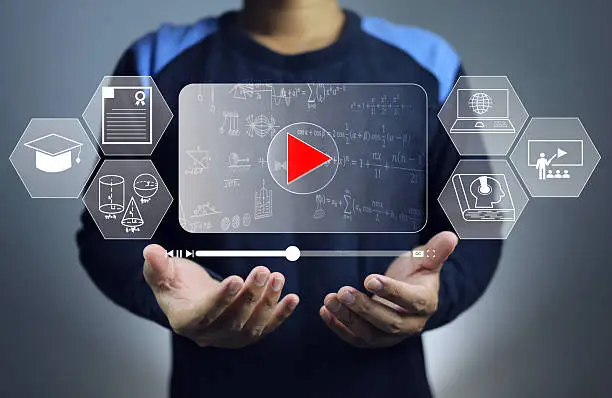
People remember what they see more easily than what they read, and organizations of every size know it. Yet video has long been a privilege of groups with equipment, editors and budgets. A school club, a community health group or a small charity often has a worthwhile message and no practical way to turn it into moving images. A free ai video generator now lowers that barrier, at least a little.
What Text-to-Video Means for Communication
Text-to-video converts a written description into moving footage using generative models trained on large collections of video and text, and a free ai video generator now puts it within reach of groups with no production budget. The shift it represents is more important than the technology details. Visual storytelling used to require three separate capabilities: an idea, the means to capture it on camera, and the skill to edit it. Generation moves the middle capability closer to anyone who can describe a scene clearly.
That does not make everyone a filmmaker. It makes drafting visually much cheaper, which in turn makes it easier to test whether a message works before spending scarce resources on it.
Practical Uses in Education
Teachers constantly search for ways to make abstract ideas concrete. A science teacher explaining how a river carves a canyon, a history teacher describing life in a medieval market town, or a language teacher setting a scene for a vocabulary lesson can all use short generated clips to illustrate what words struggle to convey. The clips work best as brief visual prompts, perhaps ten seconds long, that start a discussion rather than replace instruction.
Students can use the same tools as a creative medium. A class project in which pupils write a short script, generate illustrative scenes and add narration teaches storytelling, media literacy and revision all at once. It is also a good moment to talk about how synthetic media works and why it should be checked critically.
How Nonprofits and Community Groups Can Benefit
Small organizations often communicate in text-heavy newsletters and reports that few people finish. A short, well-made video can carry the same message to a wider audience. A food bank could animate a simple sequence showing how donations travel from a collection point to a family’s table. A conservation group might visualize a restored wetland as it could look in five years, clearly labeled as an illustration of a goal.
For groups with limited funds, trying a free ai video generator such as the one from Dreamina is a low-risk way to explore whether generated visuals suit their communications before allocating budget. Free access typically comes with constraints on clip length, resolution or usage rights, so confirm current terms, particularly if the video will be used in fundraising.
Accessibility and Language Reach
Video can make information more accessible when it is designed thoughtfully. Add captions for viewers who are deaf or hard of hearing and for anyone watching without sound. Use clear narration and avoid relying on color alone to convey meaning. Because generating visuals no longer depends on filming in a particular place, groups can also prepare multiple language versions of narration and captions over the same imagery, helping them reach communities who are usually served last.
A Simple Process for Small Teams
Write the message first
Decide on one idea you want a viewer to remember. If you need three sentences to state it, the video is attempting too much.
Plan the shots in plain language
List four to six scenes and describe each in a sentence or two. This script doubles as the set of prompts for generation and keeps the video focused.
Generate, review and replace
Create several versions of each scene, then choose the clearest. Discard anything that distorts people, misrepresents your subject or distracts from the message. Where a real photo or short real clip would serve better, use that instead.
Add narration, captions and a call to action
Finish in a basic editor with a voiceover, captions and a closing line telling viewers what to do next, whether that is to sign up, donate, attend or learn more.
Ethics and Trust Matter More Here
Organizations that depend on community trust must be especially careful. Do not generate footage that could be mistaken for real events, real beneficiaries or real testimonials. Never invent people to stand in as supposed participants in your programs. When imagery is illustrative or conceptual, label it as such. Respect the privacy and dignity of the people your work serves, and be mindful that stylized depictions of vulnerable groups can easily slip into stereotype. Check platform terms on commercial and fundraising use, and follow any rules your funders or institution have established.
What the Future May Hold
Models will likely keep improving in clip length, consistency and control, and tools for adding sound and narration are developing in parallel. No one can say exactly how fast. What seems certain is that the barrier to visual communication is dropping, which makes the questions of judgment, ethics and clarity more important, not less. The groups that benefit most will be those with a clear message and the discipline to check their work.
Measuring Impact Without a Research Budget
Small organizations rarely have analysts, but simple measures still help. For a classroom clip, ask students to explain the concept back in their own words before and after viewing, and note the difference. For a nonprofit video, track how many people watched to the end, how many clicked the link to sign up or donate, and which version of the message drew more responses. Collect a few comments from your community about what was clear or confusing. Those modest signals will tell you whether the video is doing its job far better than the number of views alone.
Frequently Asked Questions
How can teachers use text-to-video in the classroom?
Teachers can create short illustrative clips to introduce concepts, set scenes for discussions or support language learning. Students can also use the tools for storytelling projects that build media literacy and revision skills.
Is a free AI video generator suitable for a nonprofit?
It can be a practical way to explore visual communication without upfront cost. Review limits on clip length, resolution and usage rights, especially for fundraising content, before relying on it.
Should nonprofits label AI-generated videos?
Yes, particularly when imagery is illustrative or conceptual. Avoid generating content that could be mistaken for real events, beneficiaries or testimonials, since trust is central to nonprofit work.
How do I make AI video accessible?
Add accurate captions, use clear narration, ensure good contrast, and avoid conveying meaning through color alone. Offering translated captions or narration extends reach to more communities.
What is the first step for a small team new to text-to-video?
Define a single message, outline four to six scenes in plain language, generate a few options for each, and refine them in a simple editor with narration and captions.
Conclusion
Text-to-video lowers the barrier between having something to say and showing it. For teachers, nonprofits and small organizations, that can mean clearer lessons, stronger campaigns and wider reach. The benefits depend on the same fundamentals that always made communication work: a focused message, honest depiction and respect for the audience. Use the technology to serve those fundamentals and it becomes a genuine asset.
READ ALSO: Artificial Zoo: How Technology Is Transforming Wildlife Experiences